


How to Create a Functional Home Office You'll Love
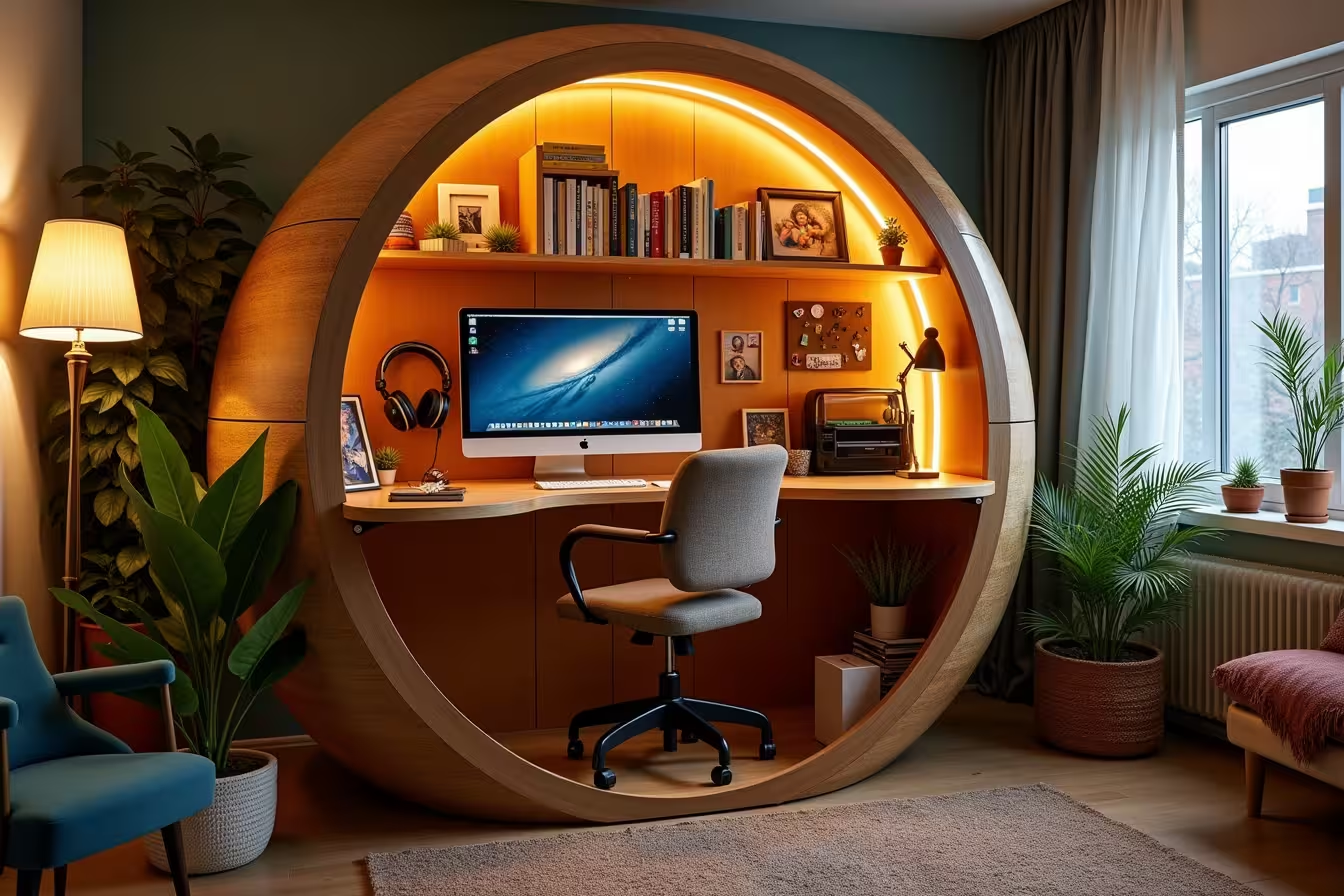
In today's digital age, creating a functional home office has become more important than ever. Whether you're working remotely full-time or just need a dedicated space for occasional work, a well-designed home office can significantly boost your productivity and job satisfaction. In this comprehensive guide, we'll explore essential home office setup ideas and home office design tips to help you create a workspace that's both functional and inspiring.
1. Define Your Workspace
The first step in creating a home office you'll love is defining your workspace. A home office should be a dedicated area where you can focus on your work without distractions. This doesn't necessarily mean you need a separate room - it could be a corner in your living room, a nook under the stairs, or even a converted closet. The key is to have a specific place that signals to your brain it's time to work when you're there.
When choosing your workspace, consider factors like available space, natural light, and proximity to power outlets. If possible, try to select an area that's away from high-traffic zones in your home to minimize interruptions.
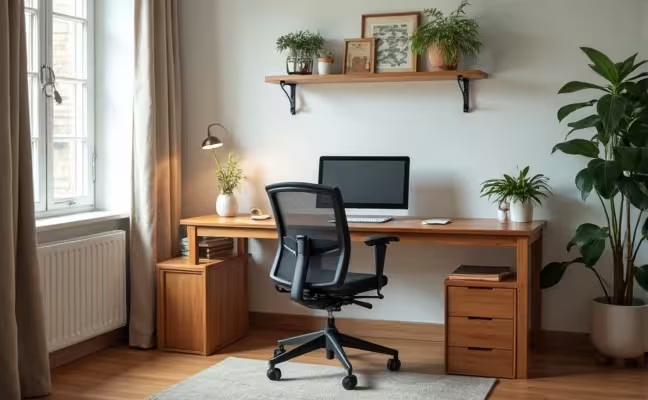
As you can see in the image above, even a corner of your living room can be transformed into a functional and inviting home office. Notice how the desk is positioned near a window, maximizing natural light and creating a pleasant working environment.
2. Invest in a Good Chair and Desk
When it comes to home office essentials, a comfortable chair and sturdy desk are at the top of the list. Ergonomics play a crucial role in productivity and your overall well-being. Choose a chair that provides proper lumbar support and can be adjusted to suit your height. Your feet should be flat on the floor when seated, and your arms should be at a 90-degree angle when typing.
As for the desk, ensure it's at the right height for you. The standard desk height is around 29-30 inches, but this may vary depending on your height. If possible, consider a standing desk or a sit-stand desk converter to allow for postural changes throughout the day. Remember, the goal is to create a comfortable workspace that you can use for extended periods without discomfort.
3. Light It Up
Proper lighting is often overlooked in home office design, but it's crucial for reducing eye strain and boosting productivity. Natural light is ideal, so if possible, position your desk near a window. Not only does this provide good lighting, but it also allows you to look outside occasionally, which can help reduce eye fatigue.
However, don't rely solely on natural light. Incorporate a mix of ambient and task lighting in your home office setup. A good overhead light can provide general illumination, while a desk lamp can offer focused light for detailed tasks. Consider using LED bulbs, which are energy-efficient and produce less heat than traditional bulbs.
4. Organize and Declutter
One of the most important home office organization tips is to keep your workspace tidy and clutter-free. A clean, organized space can significantly improve your focus and productivity. Invest in storage solutions like shelves, filing cabinets, and desk organizers to keep everything in its place.
Make it a habit to declutter your desk regularly. At the end of each workday, take a few minutes to put things away and prepare your workspace for the next day. This not only keeps your office tidy but also helps create a mental separation between work and personal time.
5. Personalize Your Space
While functionality is crucial in creating a home office, don't forget to inject some personality into your space. Adding personal touches can make your workspace more enjoyable and inspiring. This could include family photos, artwork, a vision board, or even some greenery with indoor plants.
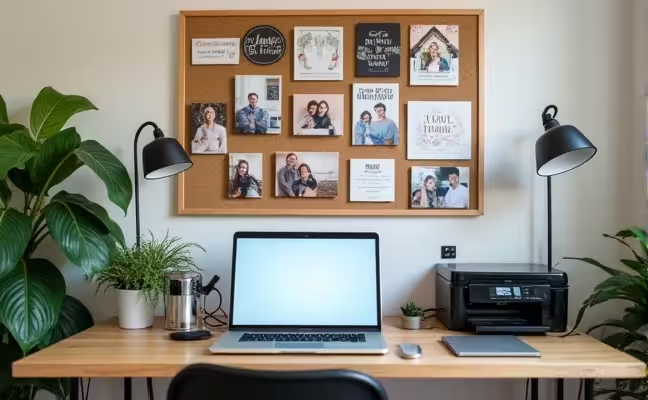
As shown in the image above, personalizing your workspace can create an inspiring and motivating environment. The mood board, family photos, and plants add character to the office while still maintaining a professional look.
6. Tech Setup
In today's digital world, a well-equipped tech setup is one of the most important home office essentials. Start with a reliable computer or laptop that meets your work requirements. Ensure you have a stable internet connection - consider a wired ethernet connection for the most reliable performance.
Depending on your needs, you might also want to invest in: - A good quality webcam and microphone for video calls - A printer/scanner combo - External hard drives for backups - A UPS (Uninterruptible Power Supply) to protect your equipment from power surges
Don't forget about cable management. Use cable ties or cable management systems to keep wires neat and organized, reducing clutter and potential tripping hazards.
7. Noise Control
A quiet environment is crucial for focus and productivity in your home office. If you live in a noisy area or have a busy household, consider ways to minimize distractions. This could include: - Using noise-canceling headphones - Installing a white noise machine - Adding sound-absorbing materials like curtains, rugs, or acoustic panels - If possible, consider minor renovations like adding insulation or upgrading to soundproof windows
Remember, the goal is to create an environment where you can concentrate on your work without constant interruptions.
8. Keep Work-Life Boundaries
When your home becomes your office, it's easy to blur the lines between work and personal life. This can lead to overworking and burnout. To maintain a healthy work-life balance, establish clear boundaries:
- Set specific work hours and stick to them as much as possible - Create a 'shutdown' ritual at the end of your workday (e.g., powering down your computer, tidying your desk) - If possible, keep your workspace separate from your living areas - Take regular breaks throughout the day, including a proper lunch break - Resist the urge to check work emails or messages outside of work hours
By maintaining these boundaries, you'll be able to enjoy your personal time without the constant pull of work, leading to better overall well-being and job satisfaction.
9. Invest in Good Air Quality
The air quality in your home office can significantly impact your health and productivity. Fresh air and good ventilation can improve focus, reduce fatigue, and even boost creativity. Here are some ways to improve air quality in your home office:
- Open windows regularly to let in fresh air - Use an air purifier to remove pollutants and allergens - Add indoor plants that naturally purify air, such as spider plants or peace lilies - Avoid using harsh cleaning chemicals in your office space - Consider using a humidifier or dehumidifier to maintain optimal humidity levels
Remember, breathing clean, fresh air can make a world of difference in how you feel and perform throughout your workday.
10. Consider a Dual Monitor Setup
If your work involves multitasking, data analysis, or graphic design, a dual monitor setup could be a game-changer for your productivity. Having two screens allows you to: - View multiple documents or applications simultaneously - Reduce the need for constant window switching - Improve your workflow and efficiency - Reduce eye strain by allowing you to view content at a more comfortable size
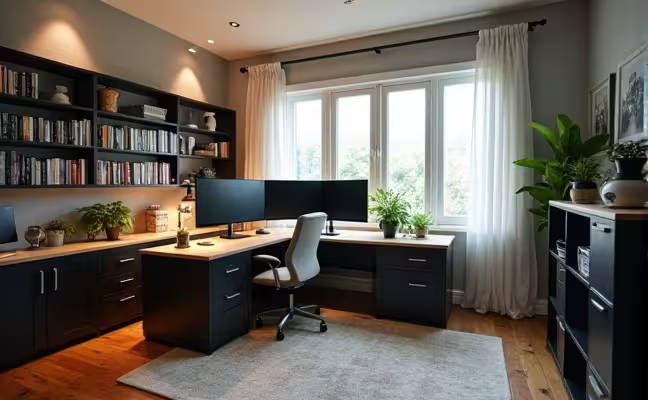
As you can see in this image, a dual monitor setup can create a professional and efficient workspace. Notice how the office is well-ventilated with an open window, well-lit, and organized with ample storage solutions.
Conclusion
Creating a functional home office you'll love is about more than just setting up a desk and chair. It's about designing a space that promotes productivity, comfort, and inspiration. By implementing these home office setup ideas and home office design tips, you can create a workspace that not only meets your professional needs but also reflects your personal style.
Remember, your home office is a reflection of you and your work. Take the time to create a space that you genuinely enjoy spending time in. With the right setup, your home office can become a place where you feel motivated, focused, and ready to tackle any challenge that comes your way.
At simpleHome, we understand the importance of creating the perfect home environment, including your home office. As someone who has gone through the process of setting up my own home office, I can attest to the impact it has on productivity and job satisfaction. If you need help with any home improvements or renovations for your home office project, simpleHome can connect you with local professionals who can bring your vision to life. Remember, investing in your home office is an investment in your career and well-being. Happy working!